
Cut Manual Entry by Up to 90%: Order Processing Automation for Ops
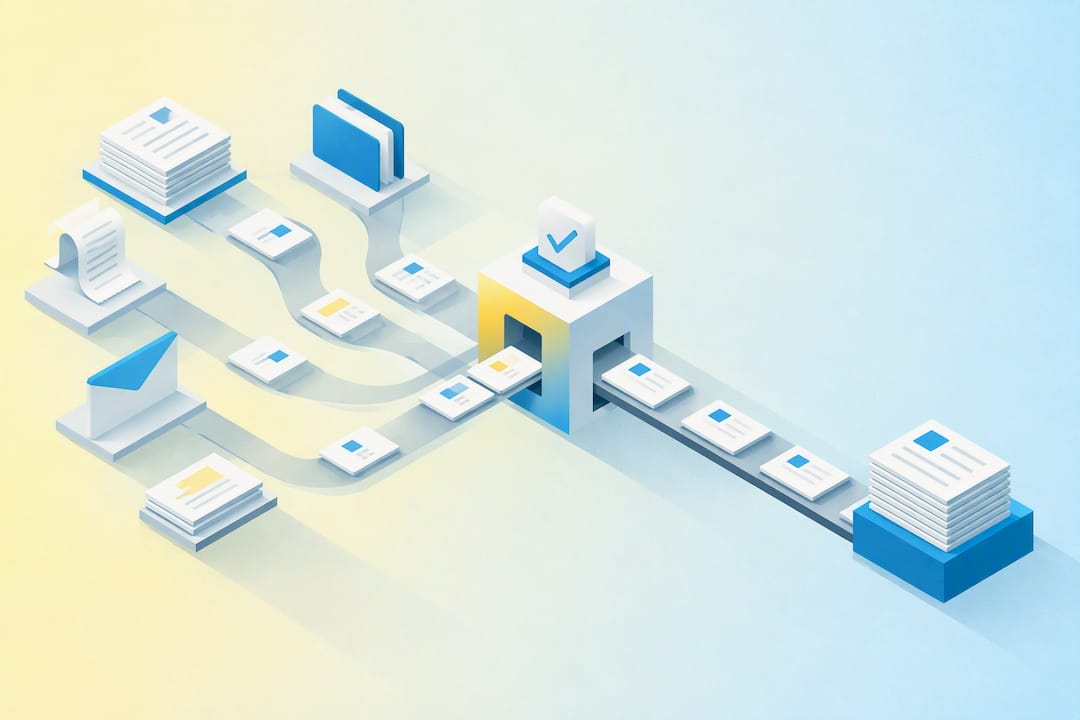
Order processing automation cuts cycle time, slashes manual entry errors, and lowers the cost per order by moving capture, validation, and fulfillment handoffs off spreadsheets and inboxes and onto rules-based systems. The realistic payoff for most operations teams: faster order confirmations, a measurable drop in exception rates, and better on-time-in-full delivery. This guide covers how the workflow actually runs, what to automate first, the integrations that matter, and the KPIs that prove it worked.
TL;DR:
Automated order processing can significantly reduce cycle times from days to hours, especially when validation rules are integrated directly into the ERP.
Most errors occur during handoffs between stages rather than within them, making clear artifact definition and ownership critical for a successful rollout.
Starting with a narrow pilot focusing on one order channel and setting explicit SLAs helps prevent process disruptions and establishes reliable success metrics.
Integration patterns like email inbox watchers and APIs are less fragile and more cost-effective for high-volume inbox-driven order flows than point-to-point connectors.
Key KPIs to monitor include order cycle time, accuracy, exception rate, and on-time-in-full delivery to measure automation impact effectively.
Table of Contents
-
How Automated Order Processing Actually Works, Stage by Stage
-
What Ampwise Customers Report From Automating Email-Driven Orders
-
Getting Started With Ampwise for Email-Driven Order Automation
What Order Processing Automation Actually Covers
Order processing automation replaces manual data entry with software that captures an order, checks it against your live business rules, routes it to the right team or system, and pushes it through to fulfillment and reconciliation without a person retyping anything. The core sequence rarely changes: capture, validate, allocate or route, fulfill, and reconcile. What changes is how much of that sequence runs without human intervention.
Orders arrive through more channels than most teams initially map out. A single mid-size distributor might see purchase orders land as:
-
Email bodies with order details typed inline, no attachment
-
PDF or scanned attachments, including handwritten fax scans forwarded by email
-
EDI feeds from large retail or industrial customers
-
Web checkout and marketplace order feeds
-
Excel sheets emailed as line-item order forms
The scope also shifts by business model. B2B order entry usually means multi-line purchase orders, negotiated pricing, credit checks, and approval chains before anything ships. B2C workflows skip most of that and focus on parcel routing and payment capture instead. An automation built for one rarely transfers cleanly to the other, which is why “automate order processing” means something different to a wholesale distributor than it does to a direct-to-consumer retailer. Order lifecycle states in most ERP platforms, such as Pending, Processing, and Complete, dictate exactly which actions (editing, canceling, invoicing, shipping) are even possible at each point, and Adobe Commerce’s order-processing documentation lays out that state logic clearly for anyone mapping their own flow.
The Real Benefits, Mapped to KPIs Managers Actually Track
The benefits case for automating order entry only means something when it’s tied to a number your finance team will accept. Four areas tend to move first.
Pro Tip: Before you automate anything, pull 90 days of your current exception rate and average cycle time. Without a baseline, you can’t prove the ROI later, and you’ll be arguing about impressions instead of numbers.
Accuracy improves because a validation rule catches a wrong SKU or price mismatch before it ever reaches a warehouse pick ticket. Fewer bad orders mean fewer returns and fewer credit notes, both of which cost more to process than the original order did. Speed improves because order-to-confirmation time shrinks from hours or days down to minutes when validated data writes straight into the ERP instead of sitting in an inbox waiting for someone with time to type it in. Automation platforms designed for order workflows report that eliminating manual re-keying across the fulfillment cycle is one of the most consistent throughput gains available to operations teams, because every manual touchpoint removed is a queue that no longer forms.
Cost and capacity shift together. Staff who used to spend their day transcribing purchase orders get reassigned to exception handling and customer service, work that actually needs judgment. Throughput per employee rises without adding headcount. Vendor guidance aimed at manufacturers and distributors consistently ties order automation to measurable operational improvement rather than vague efficiency claims, because the labor reallocation is easy to track.
Customer experience benefits are the one that shows up in retention numbers before it shows up in a dashboard. Faster confirmations and a higher on-time-in-full (OTIF) rate mean customers stop calling to ask where their order is, and that alone frees up a support queue.
How Automated Order Processing Actually Works, Stage by Stage
Every order that moves through an automated system passes through seven stages, and the failures almost always happen at the handoffs between them rather than inside any single stage. That’s the finding from EasyEcom’s breakdown of order management stages, owners, and handoffs: define the artifact each team passes to the next, and the process holds together at volume.
-
Capture. An inbox watcher or web form intake pulls the order data out of an email, PDF, EDI feed, or checkout session the moment it arrives.
-
Validation. The system checks the order against master data: is this SKU real, is this the customer’s negotiated price, does this customer have open credit?
-
Allocation and routing. Inventory gets reserved, and the order routes to the right warehouse, 3PL, or production queue.
-
Fulfillment. Pick, pack, and ship instructions generate automatically once allocation clears.
-
Delivery and post-purchase. Tracking and confirmation notifications go out without a rep drafting an email.
-
Returns. Return authorizations and credit processing follow their own rule set, usually the most exception-heavy stage in the entire flow.
-
Reconciliation. Invoice, payment, and inventory records close the loop back into the ERP.
The automation patterns that make this work are fairly consistent across vendors: inbox-to-ERP watchers that read incoming email and attachments, rules engines that apply pricing and credit logic without a human touching it, validation lookups against live master data instead of stale spreadsheets, and orchestration layers that manage the handoffs between systems. Autonomous order processing platforms that validate against live ERP data rather than static templates report meaningfully fewer errors than older rules-only setups, largely because pricing and inventory data goes stale the moment someone exports it to a spreadsheet.
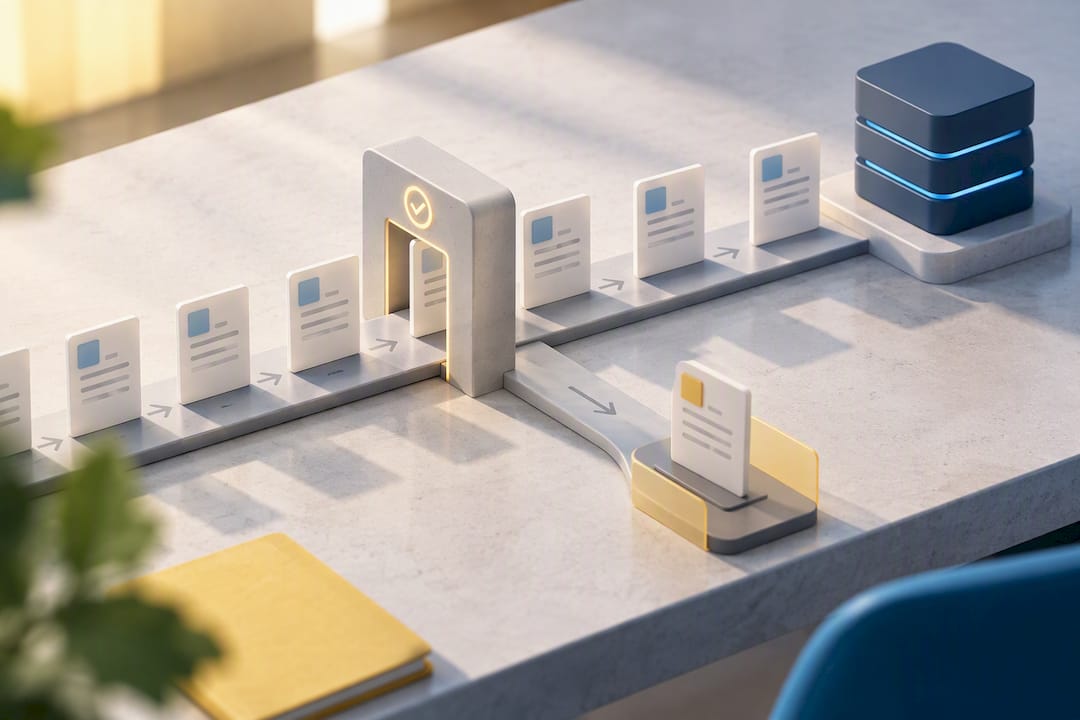
Exceptions still need a human. A mismatched price, a credit hold, a SKU that doesn’t exist in the catalog. The right design routes only those cases to a person and lets everything else pass straight through, which is the entire point of automating in the first place.
Running a Pilot Without Breaking What Already Works
Start narrow. Pick one order channel, one order type, and a small set of customers before you touch the whole book of business.
Pilot scoping comes first:
-
Choose a single intake channel (email, EDI, or web) rather than trying to automate everything at once
-
Set a target exception rate and an SLA for how fast exceptions get resolved
-
Define success metrics before the pilot starts, not after
Then build the integration checklist:
-
Confirm ERP connector availability for your specific platform version
-
Validate pricing and customer master data are clean before automation touches them
-
Map SKU and unit-of-measure discrepancies between systems before go-live, not during it
Testing works in stages, not a single cutover. Run the automated flow in parallel with manual processing first, comparing outputs against a “golden record” set of known-correct orders. Raise the confidence threshold gradually as accuracy holds, and only then start reducing the manual safety net. Moxo’s guidance on order-processing workflow measurement recommends setting explicit SLAs, such as a validated order within a set number of minutes, and treating those SLAs as enforceable from day one rather than aspirational.
Governance is the piece most rollouts skip, and it’s the one that determines whether the pilot survives contact with real volume:
-
Assign an owner for every handoff between systems or teams, not just an owner for “the project.”
-
Define what artifact passes at each boundary (a validated order, a confirmed allocation, a shipped confirmation).
-
Set an SLA and an escalation path for every boundary where things can stall.
-
Review exception logs weekly during the pilot, then monthly once stable.
Order automation vendors report that customers frequently reach live order processing within a few weeks of deployment when the pilot scope stays tight, which is a reasonable timeline against which to hold your own rollout.
Integrations: What Connects to What, and What It Costs You
Four integration patterns cover most order processing automation deployments: direct ERP connectors built for a specific platform, middleware that translates between systems, API-based sync that pushes data in near real time, and inbox watchers that read email and attachments without touching the sender’s workflow at all. Each has a different cost and fragility profile.
Direct connectors are the most reliable but the most rigid; they work well when your ERP is a major platform with a maintained connector library. Middleware adds flexibility at the cost of another system to maintain. API sync gives you speed but needs both systems to expose usable endpoints. Inbox watchers are the least invasive option because they require no change to how customers already send you orders, which matters enormously if your customers are used to emailing a purchase order as a PDF and aren’t going to adopt a portal just because you asked them to.
Data mapping priorities determine whether any of this holds up under real volume:
-
Pricing and customer terms have to sync in both directions, not just from ERP to the automation layer
-
SKU mappings need a single source of truth, especially if you’ve inherited multiple catalogs from acquisitions
-
Inventory data has to be near real time or allocation will fail silently
Security and traceability aren’t optional add-ons. Every automated decision needs an audit log: what data came in, what rule fired, what got written to the ERP, and when. Vendor guidance on integration selection consistently warns against fragile point-to-point workarounds and pushes toward pre-built connectors or documented APIs instead, because a point-to-point script that one engineer built two years ago is the first thing that breaks during a platform upgrade.
The KPIs That Prove the Rollout Worked
Five metrics separate a working pilot from an expensive experiment: order cycle time (order receipt to confirmed shipment), accuracy rate (percentage of orders processed with zero manual correction), exception rate (percentage requiring human review), OTIF, and time-to-confirmation (how fast the customer hears back that their order is accepted).
ROI calculation is straightforward once you have a baseline: multiply the hours saved per order by your fully loaded labor cost, then add the reduction in returns and credit notes from fewer entry errors. Short-run gains show up in cycle time and confirmation speed almost immediately. Long-run gains, like reduced headcount growth and improved customer retention from higher OTIF, take a full sales cycle or two to show clearly.
| Metric | What it measures | Realistic pilot target |
|---|---|---|
| Order cycle time | Time from order receipt to confirmed shipment | Reduced from days to hours on qualifying orders |
| Accuracy rate | Orders processed with zero manual correction | Meaningful increase over manual baseline |
| Exception rate | Share of orders requiring human review | Declining trend as rules mature |
| OTIF | On-time-in-full delivery performance | Measurable improvement within one to two quarters |
| Time-to-confirmation | Speed of order acknowledgment to customer | Minutes instead of hours or days |
Set your own baseline numbers before comparing against any of these targets. Every operation’s starting point is different, and the size of the gain depends entirely on how manual the current process is.
What Ampwise Customers Report From Automating Email-Driven Orders
Most order processing automation guidance assumes orders arrive in a structured format. Ampwise built specifically for the businesses where that assumption fails: companies where purchase orders, inquiries, and invoices show up as free-text emails, PDF attachments, and scanned documents in Outlook or Gmail, with no two customers formatting anything the same way.
Some vendors report that clients see a significant reduction in manual data entry once the platform is processing incoming email traffic, and clients typically reach measurable ROI within a few months of deployment.
That claim matters because it addresses the specific failure point most order automation tools sidestep: they demand a standardized template, and B2B buyers don’t send standardized templates. Ampwise’s approach instead reads the document as it actually arrives.
-
Handles free-text emails without requiring the sender to use any particular format
-
Extracts data from PDFs and scanned attachments, including handwritten or low-quality scans
-
Works directly inside Outlook or Gmail rather than requiring a separate intake portal
-
Flags non-standard or low-confidence extractions for human review instead of guessing silently
-
Writes validated data straight into the connected ERP once confirmed
The exception model matters as much as the extraction itself. When Ampwise encounters a document it can’t confidently parse, that item routes to a person for a one-click check rather than getting pushed through and creating a downstream error. That supervised-exception design is what makes an email-first automation approach viable for B2B teams that can’t afford to have a bad PO silently corrupt inventory or pricing data.
What I’d Prioritize (and What I’d Skip)
Fix the handoffs before you fix the stages. Most order processing breaks between teams, not inside them, so the highest-leverage first move is automating the repeatable decisions (pricing checks, credit holds, SKU validation) that currently require someone to make a judgment call for the tenth time that week.
Skip point-to-point integrations built by a single engineer for a single use case. They work fine at low volume and fail exactly when you need them most, during a growth spurt or a platform migration. Track exception rate and cycle time before anything else. Every other metric follows from those two, and a rollout that can’t move them wasn’t automating the right stage to begin with.
— Evert
Getting Started With Ampwise for Email-Driven Order Automation
Ampwise is built for one specific bottleneck: the order intake that happens over email, not through a portal or an EDI feed. If your team is still copying purchase order details out of Outlook or Gmail by hand, that’s the exact workflow Ampwise was built to replace, without asking your customers to change how they send you anything.

The platform reads free-text emails, PDFs, and scanned attachments directly from your inbox and writes validated data into your existing ERP, no templates, no new intake system for customers to learn. Ampwise’s own reporting puts manual data entry reductions at up to 90% and measurable ROI within three months for clients moving off manual email-based order entry. If your order volume is heavy on inbox traffic and light on structured feeds, that’s the exact profile Ampwise built for.
Current pricing details are available directly from Ampwise rather than published here. The reasonable next step is to see how it handles your actual document types: check the product overview and demo options to get a sense of what implementation would look like for your inbox volume, or review the company background and positioning if you want more context before booking a walkthrough.
Sources
FAQ
What Are the Four Types of Automation?
Order operations typically involve four categories: robotic process automation (RPA) for rule-based data entry, order management systems (OMS) that coordinate inventory and fulfillment, enterprise resource planning (ERP) automation that handles the financial and inventory backbone, and order orchestration tools that manage handoffs between all of them. Email-to-ERP tools like Ampwise sit closest to the RPA and orchestration categories, since they extract and validate data before it ever reaches the ERP.
What Are OMS Platforms?
An order management system (OMS) is software that tracks an order from the moment it’s placed through fulfillment, coordinating inventory allocation, shipping, and returns across multiple sales channels. An OMS typically sits between the point of capture and the warehouse, while an automation layer like Ampwise handles the earlier step of getting clean, validated order data into that system in the first place.
How Can I Automate the Purchase Order Process?
Start by identifying your intake channel, most B2B purchase orders still arrive by email as PDFs or free text, then connect a tool that can read that format without requiring a template. Some solutions extract order data directly from Outlook or Gmail and validate it against your ERP before writing it in, which removes the manual retyping step entirely.
What Are the Seven Steps of the Order Fulfillment Process?
The standard sequence runs capture, validation, allocation and routing, fulfillment, delivery and post-purchase, returns, and reconciliation. Failures most often happen at the handoffs between these stages rather than within any single step, which is why defining a clear artifact at each boundary matters as much as automating the stage itself.
What KPIs Should I Track During an Automation Pilot?
Track order cycle time, accuracy rate, exception rate, and on-time-in-full (OTIF) delivery from day one of the pilot, before comparing against any target. These four metrics reveal whether the automation is actually reducing manual work or just moving the same errors somewhere less visible.